Purchases, payments and documents
Purchase list
The Acquisti (purchases) view lists all purchases.
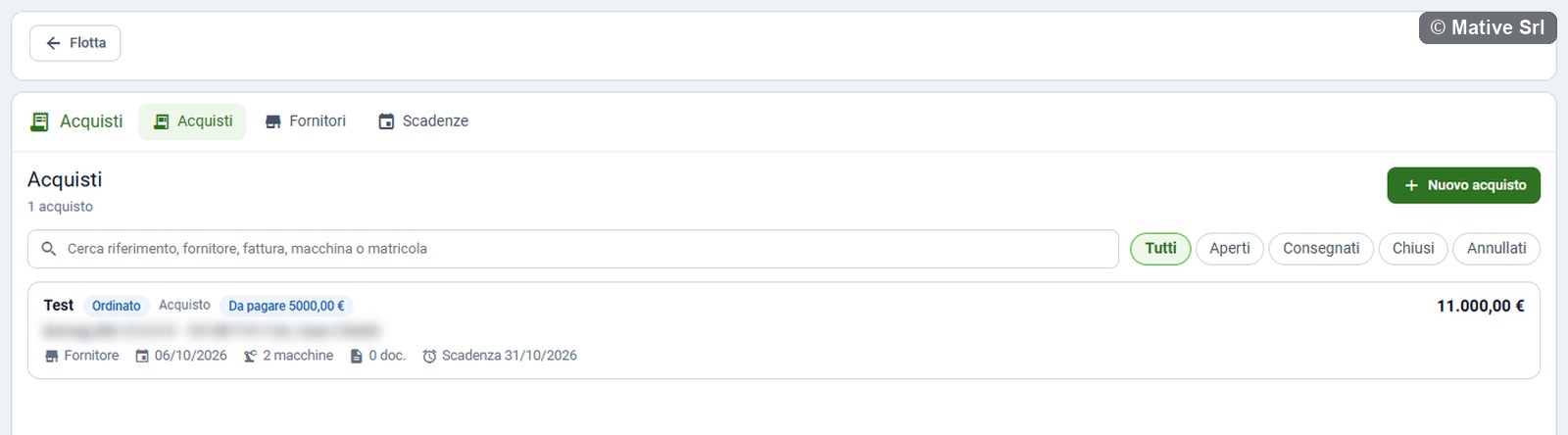
- Search: reference, supplier, invoice, machine or serial number (Cerca riferimento, fornitore, fattura, macchina o matricola).
- Filters: Tutti (all), Aperti (open: draft and ordered), Consegnati (delivered), Chiusi (closed), Annullati (cancelled).
Each card shows the reference, the status and type, what is Da pagare (to pay) or Scaduto (overdue), the description or the machines, the supplier, the order date, the number of machines and documents, the next deadline and the total.
Click a card to open the purchase.
New purchase
Nuovo acquisto (new purchase) opens a window with:
| Field | Note |
|---|---|
| Riferimento interno (internal reference) * | Required, unique in the company |
| Descrizione, Tipo, Stato | Description, type and status |
| Fornitore (supplier) | One of the suppliers |
| Data ordine, Data consegna | Order and delivery date |
| Numero fattura, Data fattura | Invoice number and date |
| Imponibile (€), IVA (€) | Net amount and VAT |
| Totale (€, calcolato se vuoto) | Total: calculated from net amount and VAT if empty; if you fill it in, it must match them to the cent |
| Modalità di pagamento, Condizioni di pagamento | Payment method and terms |
| Fine garanzia | End of the warranty |
| Fine leasing o noleggio | End of the leasing or rental contract |
| Note | Notes |
Amounts are written in the Italian way: 1.234,56.
A purchase can also be created from the detail of a supplier, already linked to it, or from the Acquisto tab of a machine, already linked to the machine.
Purchase detail
At the top, five KPIs: Totale (total, with the net amount), Pagato (paid, out of the planned payments), Da pagare (to pay, with the overdue part), Incentivi concessi (incentives granted) and Prossima scadenza (next deadline).
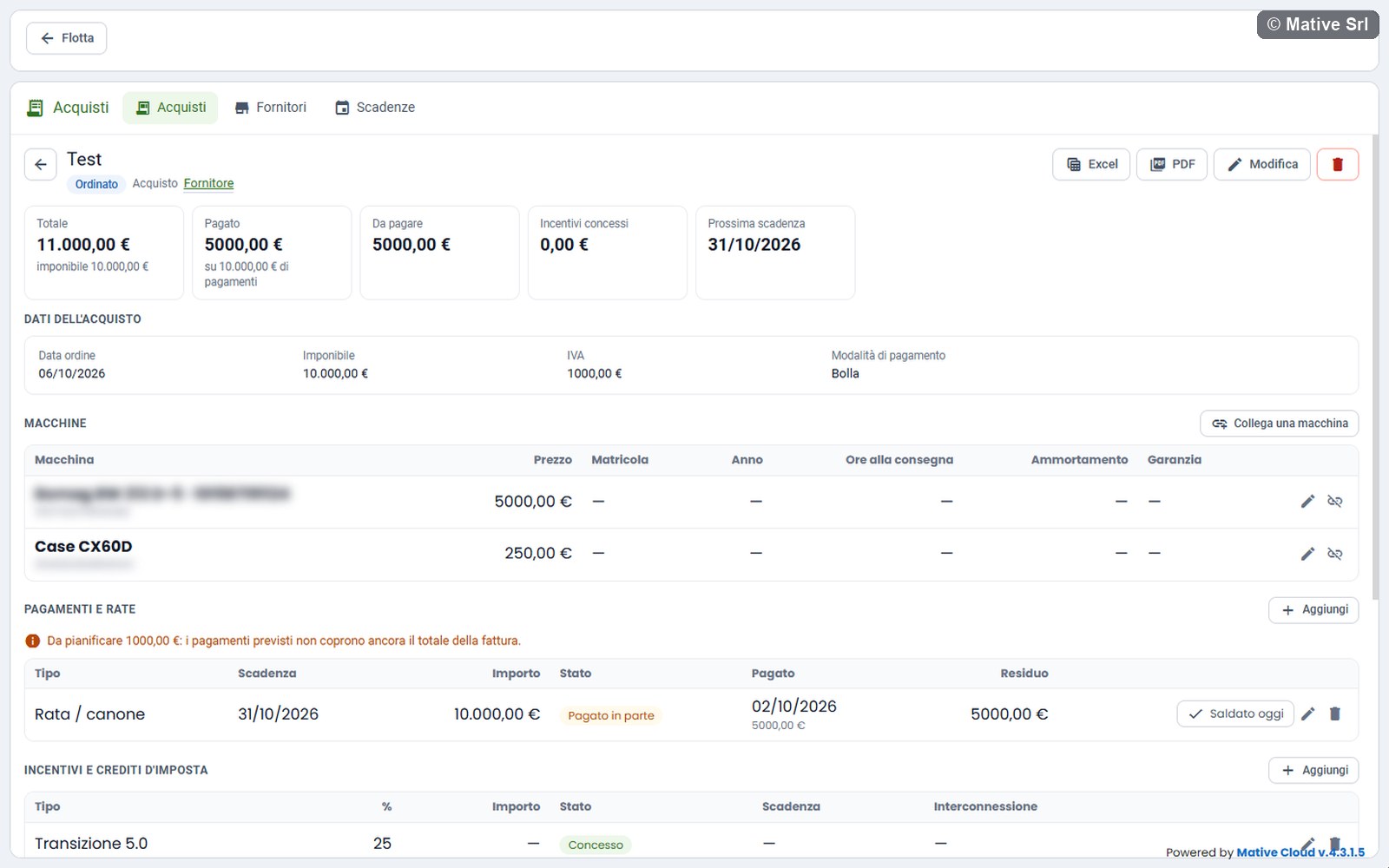
Then the sections Dati dell'acquisto (purchase data), Macchine, Pagamenti e rate, Incentivi e crediti d'imposta, Documenti and Cronologia, described below.
The buttons at the top are Excel, PDF, Modifica (edit) and the bin, which deletes the purchase after a confirmation.
Machines
Collega una macchina (link a machine) links a machine of your fleet to the purchase. You choose it among the machines visible to you, and fill in its data:
| Field | |
|---|---|
| Prezzo (€) | Price of the machine |
| Matricola / telaio | Serial or chassis number |
| Anno | Model year |
| Ore motore alla consegna | Engine hours at delivery |
| Anni di ammortamento, Valore residuo (€) | Depreciation years and residual value: the yearly depreciation is calculated |
| Fine garanzia della macchina | End of the warranty of this machine |
| Note |
A machine appears only once in a purchase, but the same machine can be in more purchases, for example an attachment bought later. The table shows every machine with price, serial number, year, hours at delivery, yearly depreciation and warranty. The pencil edits the data, Togli (remove) unlinks the machine.
Payments and instalments
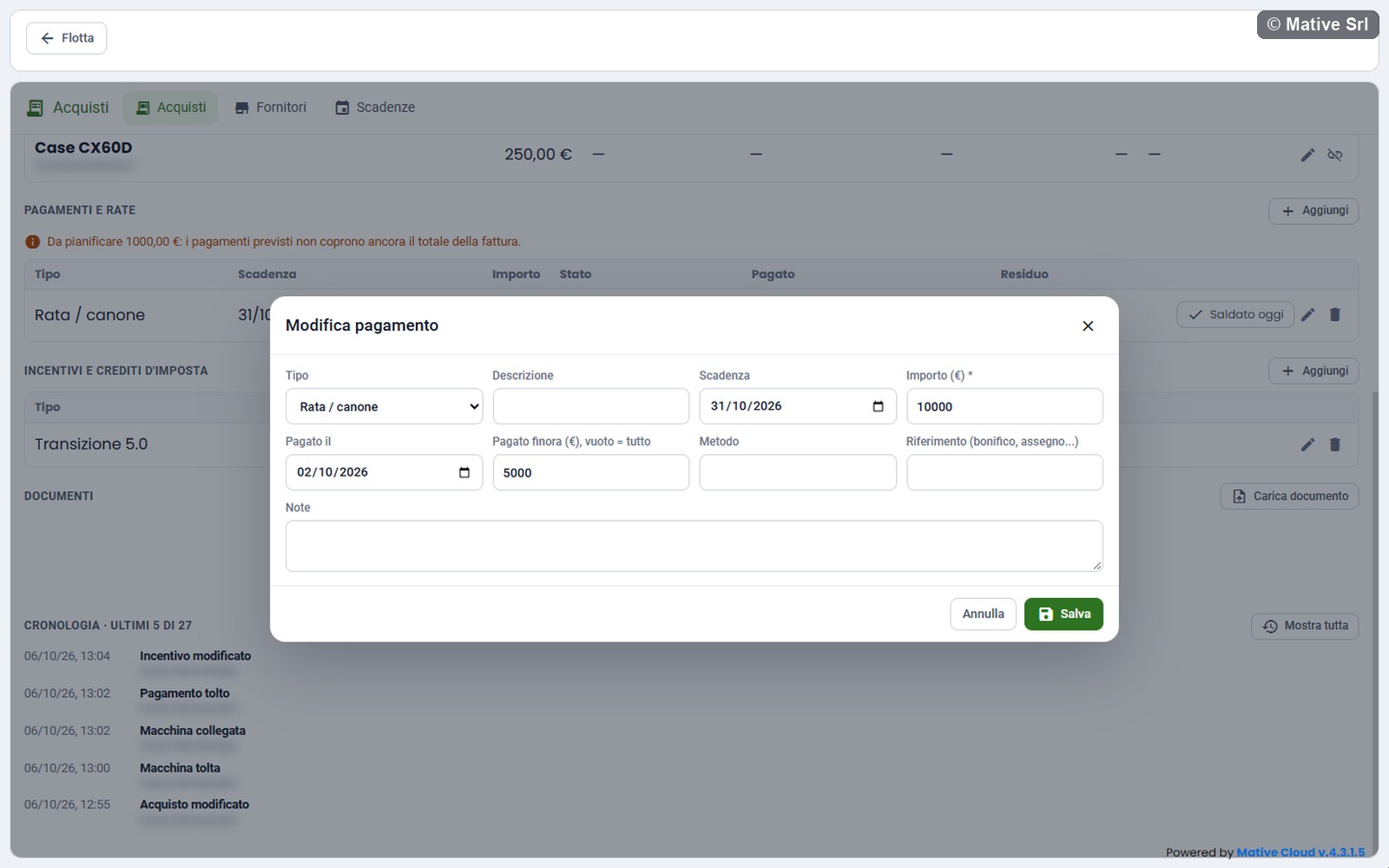
Aggiungi (add) in Pagamenti e rate adds a payment:
| Field | |
|---|---|
| Tipo | Anticipo (down payment), Saldo (balance), Rata / canone (instalment or lease payment), Spesa (expense), Altro (other) |
| Descrizione | |
| Scadenza | Due date |
| Importo (€) * | Amount, required |
| Pagato il | Payment date |
| Pagato finora (€), vuoto = tutto | Amount paid so far; empty means the whole amount |
| Metodo, Riferimento | Method and reference (bank transfer, cheque...) |
| Note |
Payment status
| Status | Meaning |
|---|---|
| Pagato (paid) | Paid in full |
| Pagato in parte (partly paid) | Part paid, part left |
| Scaduto (overdue) | Something is left and the due date has passed |
| Da pagare (to pay) | Not paid yet, due date not passed |
The Residuo (remaining) column shows the amount minus what has been paid. The totals of the purchase (paid, to pay, overdue) are calculated on the remaining amounts. In a cancelled purchase nothing is to pay or overdue, and the down payment already paid stays in Pagato.
Pagato oggi (paid today) pays the whole instalment with today's date in one click. On a partly paid instalment the button is Saldato oggi (settled today).
Rules
- The amount must be greater than zero.
- The payment date cannot be in the future: record a scheduled transfer when it has been made.
- A paid amount without a date is rejected; removing the date cancels the payment.
- The paid amount cannot be higher than the instalment: interest and late fees are a separate payment.
Comparison with the invoice
For the types Acquisto and Usato, the planned payments are compared with the total of the invoice:
- Da pianificare (to plan): the planned payments do not cover the total yet, and the message shows how much is missing;
- if the payments are higher than the total, a message shows the difference: check the amounts, or whether they are extra costs (transport, interest).
It is a warning, not an error. In leasing and long-term rental there is no comparison: the lease payments are not the price.
Incentives and tax credits
Aggiungi in Incentivi e crediti d'imposta adds an incentive:
| Field | |
|---|---|
| Tipo * | Transizione 4.0, Transizione 5.0, Nuova Sabatini, Bando (grant), Altro |
| Descrizione, Percentuale (%), Importo (€) | Description, rate and amount |
| Stato | Da richiedere (to request), Richiesto (requested), Concesso (granted), Utilizzato (used), Respinto (rejected) |
| Richiesto il, Concesso il, Scadenza | Request, grant and due dates |
| Data di interconnessione, Data della perizia | Interconnection date and date of the expert report |
The 4.0 and 5.0 credits need the interconnection date of the machine: a machine connected to Mative Cloud is already interconnected, so enter the date of the connection.
Documents
Carica documento (upload document) in Documenti uploads a file and its data:
- File: PDF or photo (JPEG, PNG, HEIC, WebP), up to 25 MB;
- Categoria (category) *: Preventivo, Ordine, Conferma d'ordine, DDT / bolla di accompagnamento, Fattura, Quietanza di pagamento, Contratto di leasing o noleggio, Dichiarazione CE di conformità, Manuale d'uso e manutenzione, Garanzia, Perizia tecnica (4.0 / 5.0), Attestazione di interconnessione, Domanda o concessione incentivo, Polizza assicurativa, Documento del fornitore (DURC, visura), Altro;
- Titolo, Numero, Data, Importo (€), Scadenza (title, number, date, amount, expiry), Note.
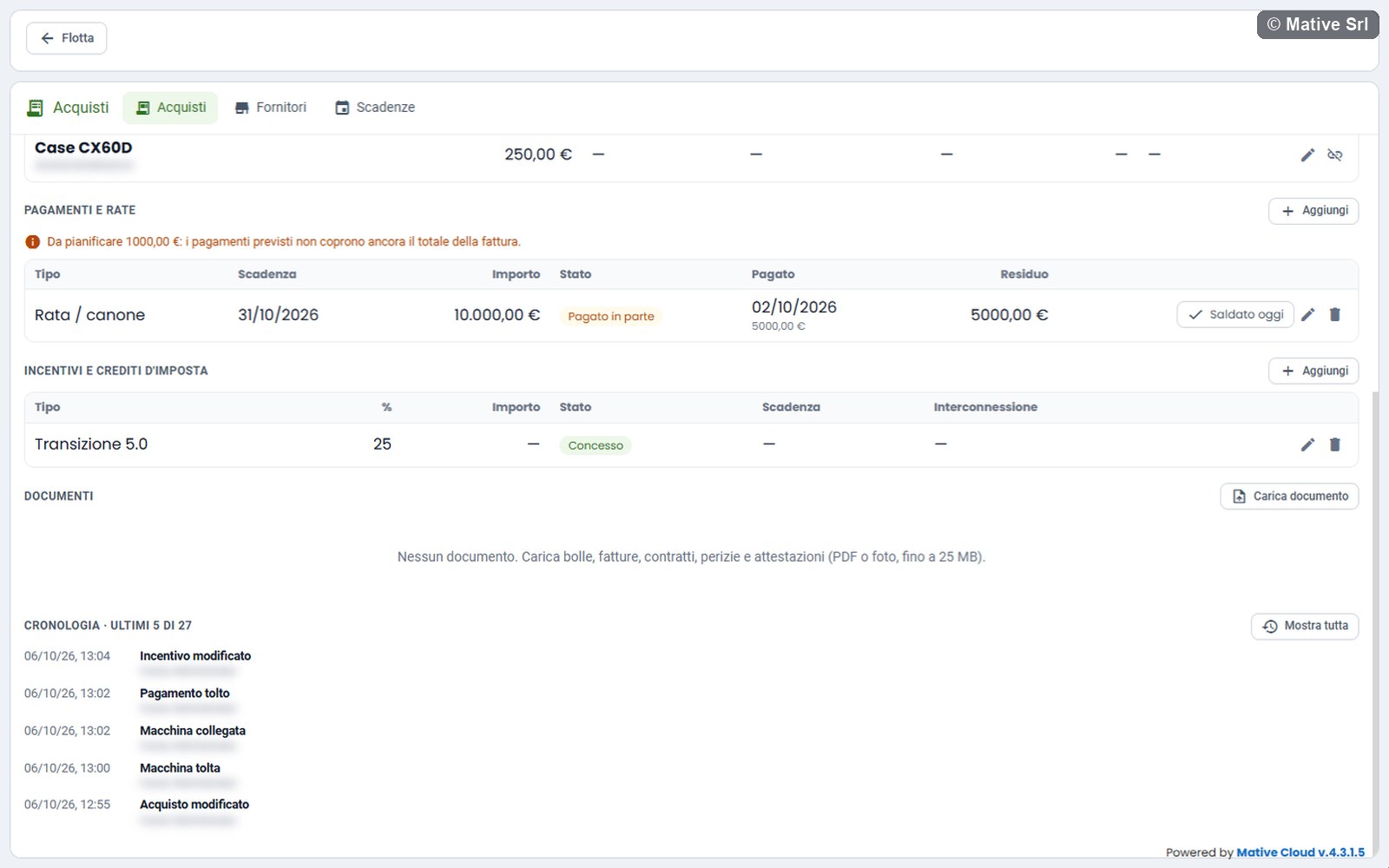
The table lists every document with category, title, size, number, date, amount and expiry. Apri (open) opens the file in a new browser tab; the pencil edits the data and the bin deletes the document. See where the documents are kept.
History
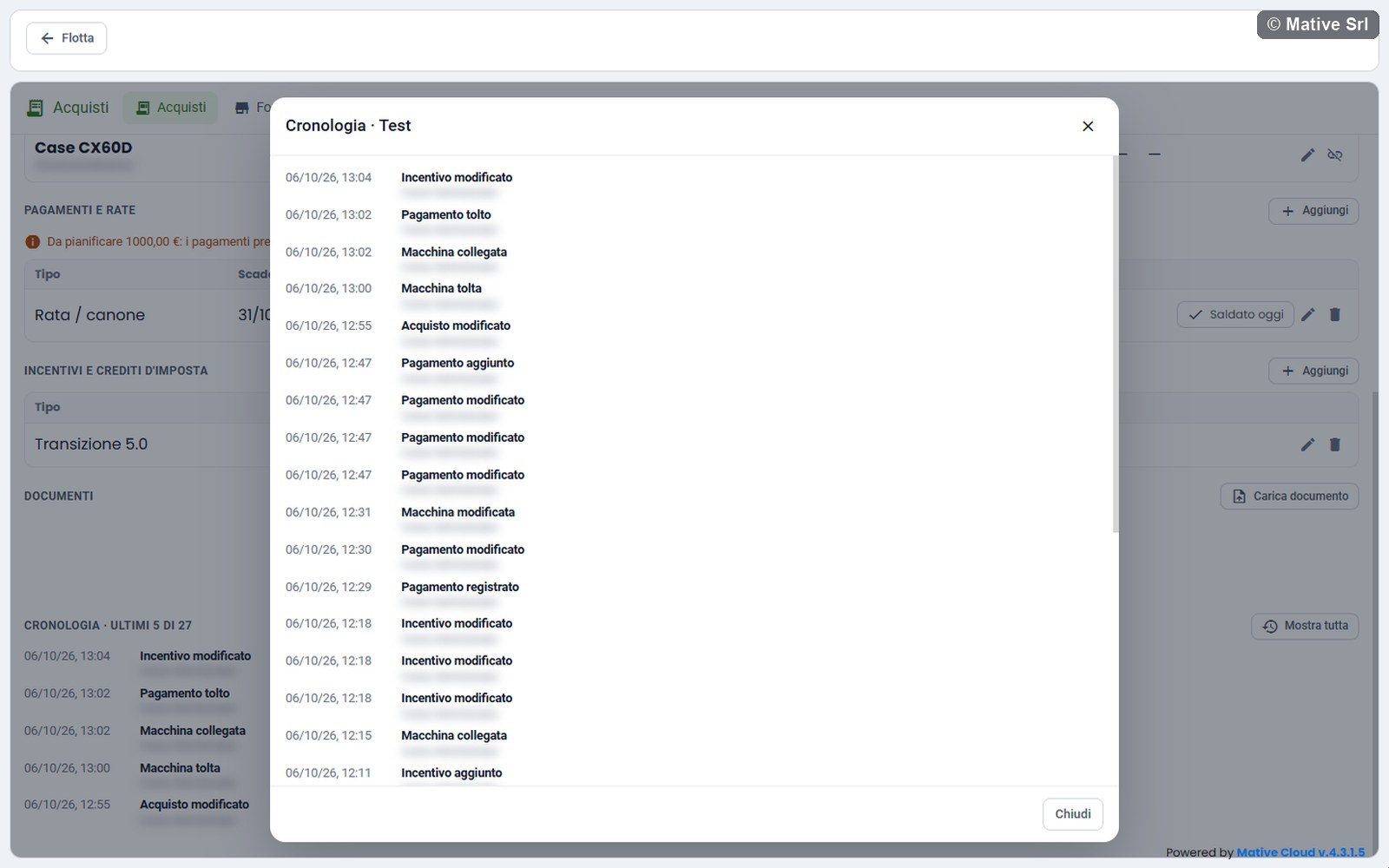
Cronologia (history) shows the last 5 events of the purchase, with date, time and author: purchase created or modified, machine linked or removed, payment added or recorded, incentive added, document uploaded... When there are more, the title shows how many (ultimi 5 di N) and Mostra tutta (show all) opens the full history in a window, with Mostra altri (show more) to load older events.
Exporting a purchase
The Excel and PDF buttons in the detail download the open purchase:
- Excel: the file Acquisto followed by the reference, with the sheet Acquisto (data and totals) and the sheets Macchine, Pagamenti, Incentivi and Documenti. Amounts are numbers in euro and dates are Excel dates.
- PDF: the purchase sheet (Scheda acquisto) on landscape A4 pages, with data and totals side by side, then the tables that have rows. Every page has the header and Pagina n di m (page n of m).
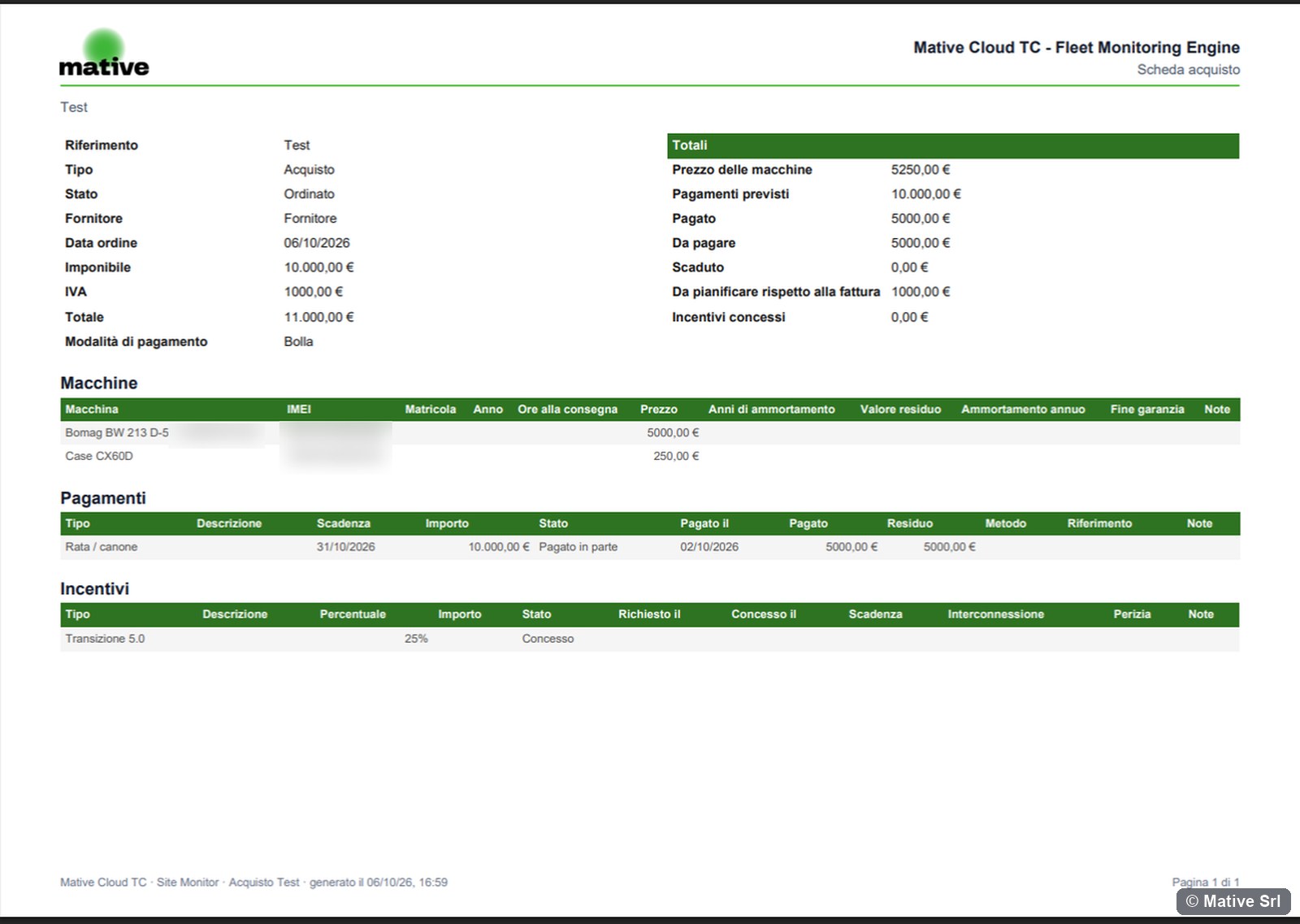
The export lists the documents, not their files: those open from Site Monitoring.
Editing and deleting
Modifica opens the purchase window to change its data. The bin deletes the purchase after a confirmation.